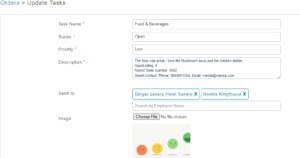
How to Report an Issue/ Give feedback by a guest?
To give feedback for an service order or report an issue by guest, follow the below steps-
1. Open the QR code and scan the hotel QR code
2. Select the services menu.
3. Select the “Housekeeping/ Report an Issue/ Feedback” button.
4. If not log in before, put the Name and Email id and click on “Request Login Link”.
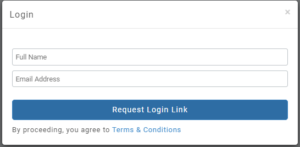
5. Open the unique link sent in the email, and fill in the below details
– Select Category,
– Room/ Table Number
– Description
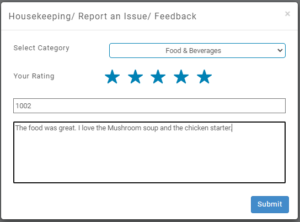
6. Once filled, submit the details. For feedback, the guest can give a rating when submitting the feedback.
7. Once the issue is reported or feedback is submitted by guest, task will be created.
8. Staff can see the issue details or feedback from the task description.