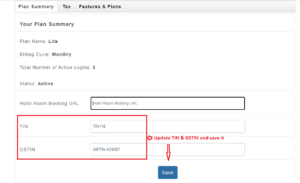
How to Add TIN and GSTIN number for your hotel?
Step1: Login to https://www.sanarp.com/
Step2: Navigate to User profile icon -> Accounts.
Step3: Once in the “Plan Summary” page, in the TIN and GSTIN textbox, enter the TIN and GSTIN
Step4: Click on “Save” button to successfully save the changes.
fyi – TIN and GSTIN will be reflected in the bill invoice only when the TIN and GSTIN number is updated and saved.