
Step 1: Login to https://sanarp.com/
Step 2: Once in the dashboard, click on “+ Setup” button
Step 3: On clicking, a pop up page will appear. You can update the following-
a. Profile
b. Banner – Click on the Banner icon to add any hotel Banner or any promotional banner. Upto 3 banners, each hotel can upload
c. Banner Link – Any promotion URL which you want it to open when the guest click the above banner, you can update here.
d. To update the Whats-app Number, update under Whats-app Number
e. To update the Email ID and Website, update under the Email ID and Website text field.
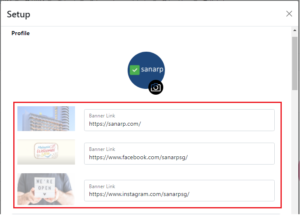
Image1
f. To update Facebook, Instagram, Twitter, Pinterest, Others, update under Social media addresses text field.
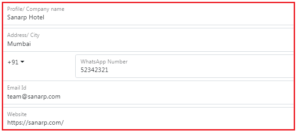
Image2
