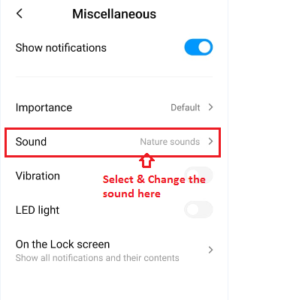
How do we set the Sanarp Application notification sound?
Application notification needs to be customized for respective phone (sometime it may differ from the phone to phone based on the phone brand)
However, for a generalize setting, follow the below steps-
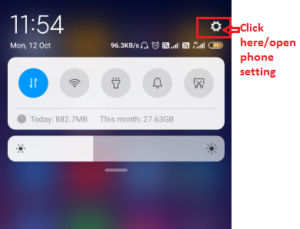
Step1: Click on the Phone setting
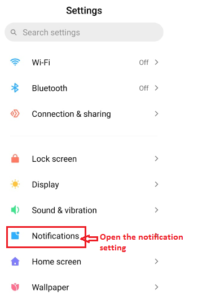
Step2: Search for Notifications label
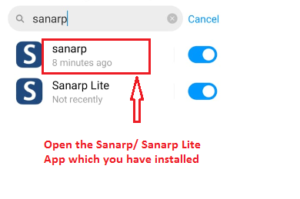
Step3: Search for Sanarp application
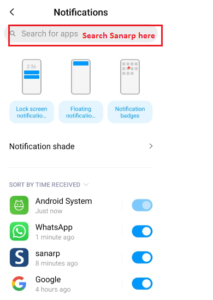
Step4: Open the Sanarp application.
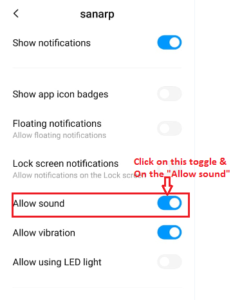
Step5: Click the “Allow Sound” toggle and make it blue. Once done, you will be sound for any Sanarp Notification (service order)
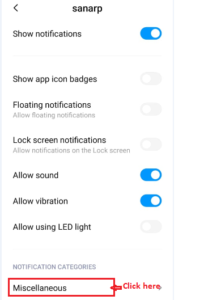
Step6: For custom ringtone, click on Miscellaneous.
Step7: Click on Sound label. Select the ringtone you want to keep and save.