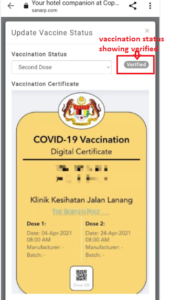
How to upload Vaccination Certificate by the Guest?
To update the vaccination status – follow the below steps
Step1: Login into https://sanarp.com/
Step2: Navigate to CRM.
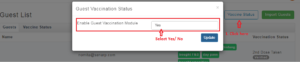
Step3: Click on Vaccine Status –
- Select Enable Guest Vaccination Module – Yes – to display the shield icon to the guest side.
- Select Enable Guest Vaccination Module – No – not to display the shield icon to the guest side
At the Guest side:
Step5: Guest open the hotel restaurant link
Step6: Enter the name and email id to login. Guest hotel unique link will be sent to the email provided.
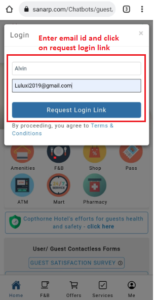
Step7: Open the link from the email and once you are in the landing page, you will see a green shield icon on the right top.
Step8: Click the icon. A pop up will appear. Update the below –
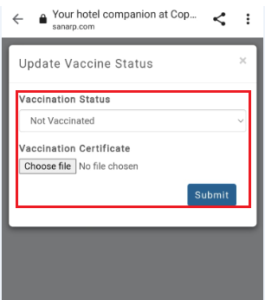
- Vaccination Status – First Dose
- Vaccination Certificate – Upload the certificate
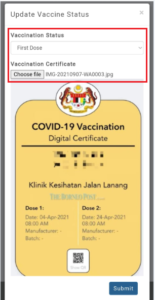
Step9: Click to submit the report.
At the Staff side:
Step10: Login and navigate to CRM
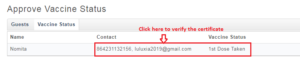
Step11: Click on the guest details and a pop up will appear.
Step12: Put the staff remarks and click verify
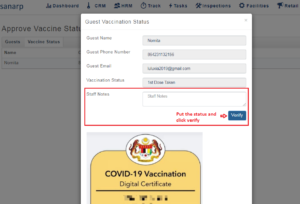
Step13: Once verify, guest vaccination status will be displayed as “Verified” under CRM
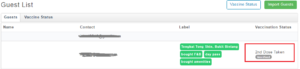
Step14: At the Guest homepage hotel link also, the vaccination status will be shown as verified.