How to Export Department?
To export the department list, kindly do the following steps-
- Login to www.Sanarp.com
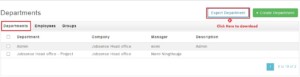
- Navigate to HRM – Department
- Click on “Export Department”
- On clicking, a spreadsheet will be downloaded with the report details of the department.