
Steps to Log In to SANARP Using OTP:
1. Open the SANARP portal at https://5gpromise.gingerhotels.com/.
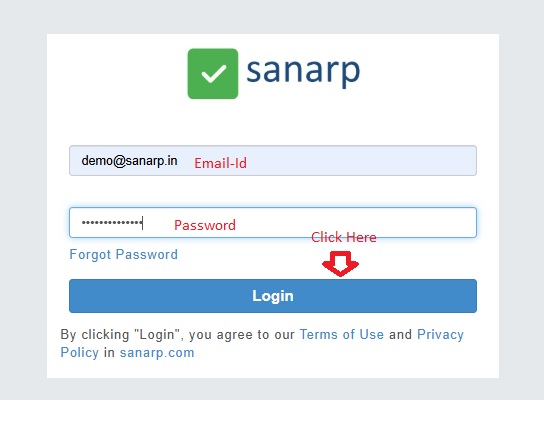
2. Enter your email ID and password, then click the “LOGIN” button.
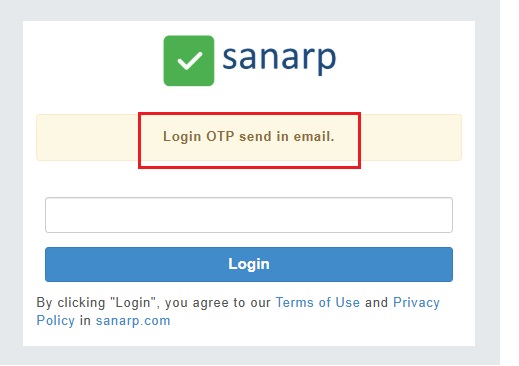
3. A notification will appear: “Login OTP sent to your email.”
4. Check your registered email inbox for the OTP (token).
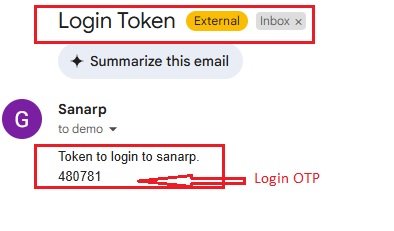
5. Copy the OTP and enter it on the SANARP login page.
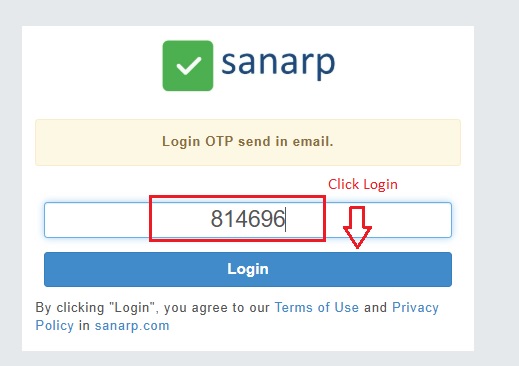
6. Click the “Login” button to complete the login process successfully.
NOTE: Both the steps of keying OTP and login has to be completed from the same device.
