
How to Import an Inspection Template from Sanarp Archive?
A template which is available in the archive can be easily imported. To import an Inspection template, follow the below steps –
Step1: Log in to www.sanarp.com
Step2: Navigate to Inspections from Menu, click on Templates->Import Template
Step3: Click on the Import button on the R.H.S. (Refer Image1)
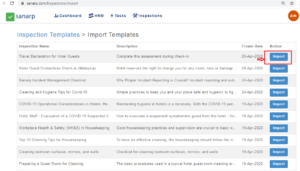 Image1
Step4: On clicking, a page will pop-up.
- Guest – Select Guest option if the Inspection Template needs to be available for Guest. (Refer Image2)
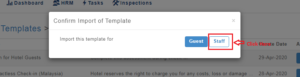 Image2
- Staff – Select Staff Option if the Inspection Template needs to be available for Staff. (Refer Image3)
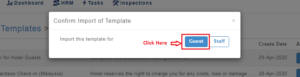 Image3
Step5: On successful import, the imported template can be seen at Template listing page under “Template” tab.
