
How to Add Inspection Location ?
Inspection locations are required to add when a Staff do Inspection. Location can be added from Sanarp Web application or Mobile Application.
To add Sanarp Web Application, follow the below steps –
Step1: Log in to www.sanarp.com
Step2: Navigate to Inspections from Menu. Then, click “Status” label.
Step3: Click on to Import Template on the upper right corner, then click on Download Template to download Location spreadsheet and click on Next (Refer Image1 and Image2)
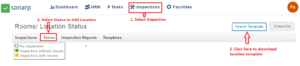 Image1
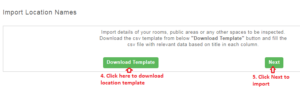 Image2
Step4: After adding location name on spreadsheet, click on Choose file button to upload location spreadsheet. (Refer Image3)
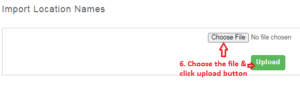 Image3
Step5: Once uploaded a confirmation message will appear.
Step6: Once successfully imported, the inspection locations will be available.
