
How to import CRM guests list for a company?
CRM (customer/ guests details) can be maintained in Sanarp. To do that, the guest details should be imported in Sanarp.
Follow the below steps to import guest details in CRM:
Step1: Login to https://www.sanarp.com/
Step2: Navigate to CRM -> Guest CRM
Step3: For the 1st time set up, Guest details needs to be imported. There are 3 ways to get the guests details-
1. Guest Registration card – by mapping the inspection questions CRM fields (First Name, Last Name, Email, Phone No and City)
2. Through service order – F&B, Merchandise/ retail products, amenities, etc; when guests use the Sanarp system.
3. Upload the existing Hotel guests database to Sanarp. To do, follow the below steps-
To import, click “Import Guests” button. Refer Image1 – Import Guest
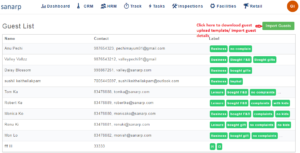 Fig: Image1 – Import Guest
Step4: It will redirect to the Guest details upload page. Click on “Download Template” to download the Guest import template – guest_template2.csv (Refer Image2 – Download Guest_Upload template
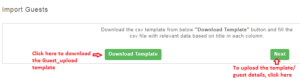 Fig: Image2 – Download Guest_Upload template
Step5: Open the downloaded template and update the details – First name, Last name, Contact number, Email id, Address, City, State, Country, Gender, Label (Labels are tags that we want to add. One can specify 1 label or as many as 5 labels according to the requirements.
For.eg: Label here can be Domestic Traveler, Business Traveler, Corporate Traveler, Vegetarian food, etc
Step6: Once the details are added, upload the templates. To upload, follow step1 to step4 (given above) and click on the “Next” button.
Step8: Upload the guest_template2.csv file by clicking on Choose file button and click on “Upload” to upload the details successfully. Refer Image3 – Upload file
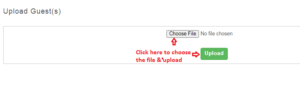 Fig: Image3 – Upload file
