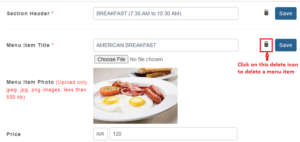
How to Delete an existing F&B menu item or Section Header?
Any F&B menu/ items can be deleted easily. To delete a menu, follow an F&B items-
- Login to https://www.sanarp.com/
- Navigate to Facilities -> F & B Items
- Once you are in the F & B product listing page, for the menu item you want to delete, click on the delete symbol on the R.H.S
- Once done, the menu item will be deleted successfully.