
How to Re-arrange F&B Menu Item Order?
All menu items added can be shuffle and reorder their sequence with just a click. Steps to rearrange an F&B menu items-
Step1: Login to https://www.sanarp.com/
Step2: Navigate to Facilities -> F & B Items
Step3: Once in the F&B Item page, click on the “Arrange Order” button on the R.H.S top corner. (Refer Image1)
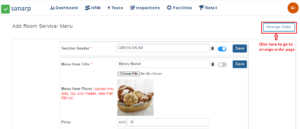 Image1
Step4: On clicking, the arrange order page will appear.
Step5: Click on the Menu you want to change the sequence and drag and drop.
Step6. Click on the “Save” button to successfully save the sequence changes. (Refer Image2)
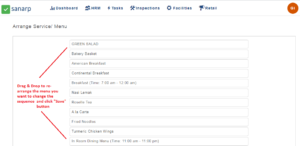 Image2
