
How to apply setting for the Guest Registration Form to display the analytics?
To display the analytics such as – Total check-in, check-in per day, etc for Guest Registration Form, the below setting has to be applied. Below are the steps given-
- Select the Guest Registration Form for which you want to display the analytics.
- Go to edit mode for the form selected.
- Select “Yes” for the Guest Registration Form (Refer Image1)
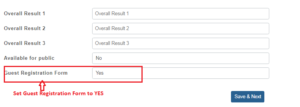 Fig: Image1
Once the Guest Registration Form is set, any future check-ins, the total check-ins, today check-ins analytics will be displaying at the dashboard (refer Image2)
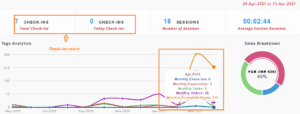 Fig: Image2
