
How do we delete the retail products which I don’t want?
Retail products once created cannot be deleted from Sanarp. However, Sanarp is giving more flexibility to re-use the existing products.
- To update the existing product and re-using it.
- To make the added product inactive so that it can be reused later.
To make the retail product Active/ Inactive, follow the below steps-
Step1: Login to https://www.sanarp.com/
Step2: Navigate to Retail -> Active Products
Step3: To make a product item inactive, click & open the item.
Step4: Click the Active blue button on the upper right corner to switch off the product. (Refer Image 1 – Retail Active/Inactive Button)
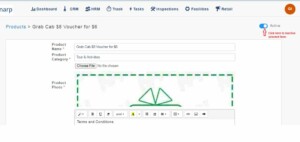 Fig: Image 1 – Retail Active/Inactive Button
Step5: Once switch off (make Inactive), Click on the “Update Product” button to save changes. (Refer Image 2- Retail page update)
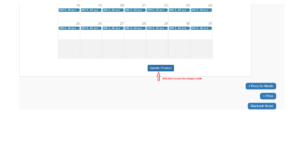 Fig: Image 2- Retail page update
Step6: Once updated, the product item will not be visible and it will be listed in the Inactive product listing which can be re-used later.
(Refer Image 3- Retail Inactive products)
Step7: Similarly, to make the product active, follow Step3 to Step6.
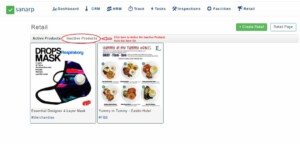 Fig: Image 3- Retail Inactive products
