How to order Retail Product by Guest?
Guest can place a retail product order by following the below steps-
Step1: Scan the QR code
Step2: Navigate to Offers tab
Step3: Select the product you want to order
Step4: If not Login already, do a one time login by WhatsApp or Email Id. If already login, skip Step No.4
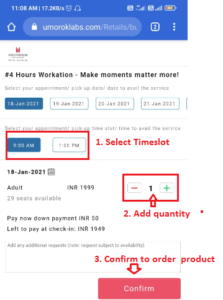
Step5: In the product order description page, Select the time-slot and the quantity.
Step6: Click on “Confirm” to successfully place the order.