How to clone the Price and Quantity of the Retail Product?
In this section, we will guide you how to clone the price and quantity for retail product added.
Step1: Login to https://www.sanarp.com/
Step2: Navigate to Retail Tab
Step3: Open the product you want to clone and update the prices and quantity
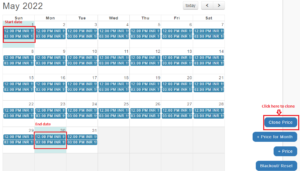
Step4: To clone, select the Start date and End date from which you want to clone. Then, click on “Clone Price” button
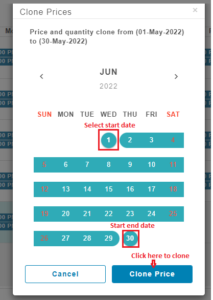
Step5: A Calendar will pop up. Select the Start date and End date of the month you want to update the price and the quantity for. Then click “Clone Price” button
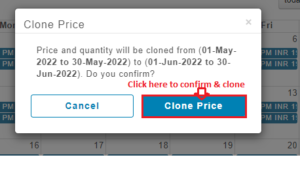
Step6: At the confirmation page, confirm the start date and end date and click on “Clone Price” button.
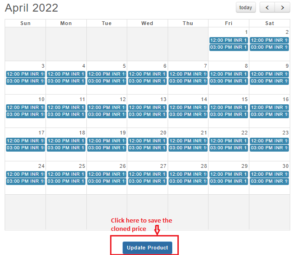
Step7: Once done, “Price cloned successfully” notification message will appear.
Step8: With this, The price and the quantity will also be displayed in the calendar. To save the details successfully, click on “Update Product” button and the newly cloned price and quantity will be updated for the selected dates.