
How do an re-arrange/ re-order amenities that is already added?
To re-arrange Amenity Items order-
Step1: Login to https://www.sanarp.com/
Step2: Navigate to Facilities -> Amenities
Step3: Click on the “Arrange Order” button on the top right corner of the page. (Refer Image 1- Arrange order Icon).
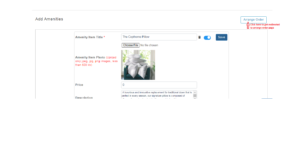 Fig: Image 1- Arrange order Icon
Step4: It will open the Amenity Arrange Page. Click on the menu name you want to change sequence then drag and drop.
Step5. Click on the “Save” button to successfully save the sequence changes. (Refer Image 2- Arrange amenities order)
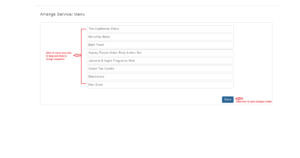 Fig: Image 2- Arrange amenities order
