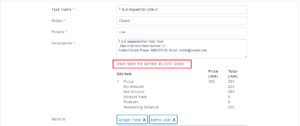
How do Guests give feedback for F&B service order?
For any F&B service ordered, after the service is being delivered by the hotel/ staff, push notification can be sent to the guest for the service delivery feedback.
The sequence of steps for service feedback is given below:
Step1: Guest opens the Hotel guest link of your hotel or restaurant.
Step2: He navigate to F&B menu which is at the bottom of the Hotel guest page.
Step3: To order F&B, Guest selects the restaurant, select the menu items, fill the required details and place the order.
Step4: For the service request done by the guest, a task is created at the backend (staff side) to monitor the service order details.
Step5: F&B service staff sees the order details from the task, sent it to the F&B production team to prepare it and then delivers the food to the guest once the food item preparation is completed.
Step6: Once the food is delivered, the F&B staff opens the task order created and changed the status as closed.
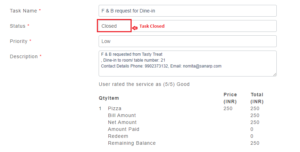 Step7: Once status is changed to closed, Push notification is sent to the guest for service feedback.
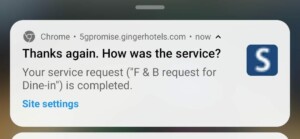
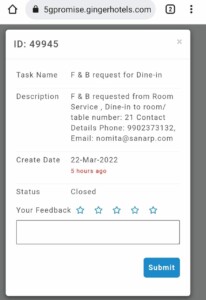
Step8: Guest on clicking the push notification pop up, it opens the feedback page and he can give the feedback of the service.
Step9: The F&B staff on the other hand can view the review given by their guest for the service delivered.