
How to update an existing employees?
To update an existing employees details, follow the below steps
- Login into www.sanarp.com
- Navigate to HRM -> Employees
- Click on the Employee Name you want to update.
- The Employee profile will open in edit mode.
- Update the details you want to make changes
- Click on the “Save” button to save the details. On successful saving, the latest changes will be reflected for the employee. Refer Image1
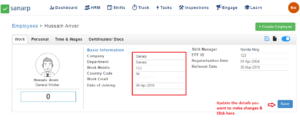 Image1
